Try Any Hairstyle with
Gemini AI in Seconds
Upload your photo, copy a hairstyle prompt, and see yourself with a new haircut, color, or length — instantly. Powered by Google's Nano Banana Pro for photorealistic, face-consistent results.
See Your Next Hairstyle Before the Salon
Gemini AI Hairstyle uses Google's Nano Banana Pro image model to swap the hair in your photo while keeping your face, body, pose, outfit, and background exactly the same. Browse our copy-paste prompt library for men and women, pick a look, and generate a realistic preview in seconds — no Photoshop, no awkward wig filters, no commitment.
Gemini AI Hairstyle by the Numbers
Real specs of the Nano Banana Pro hairstyle pipeline on Kairval.
- credits per image
- 150
credits per image
- images per request
- 4
images per request
- max resolution
- 4K
max resolution
- copy-paste prompts (12 hairstyles + 3 grids)
- 15
copy-paste prompts (12 hairstyles + 3 grids)
- modes (text-to-image, image-to-image)
- 2
modes (text-to-image, image-to-image)
- typical generation time
- ~15s
typical generation time
Why Choose Gemini AI Hairstyle
Face-Consistent Every Time
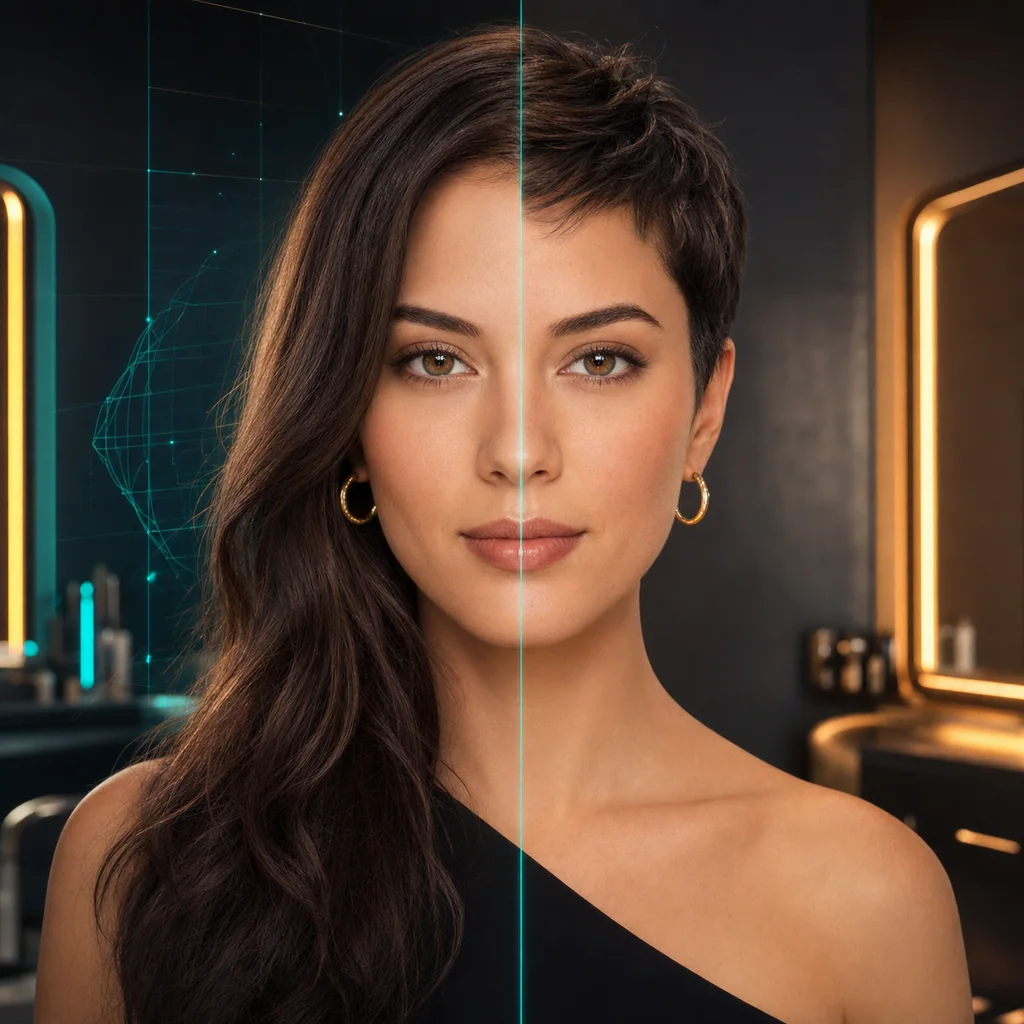
Powered by Google's Nano Banana Pro, every hairstyle swap locks your face shape, facial features, skin tone, and expression in place. Only the hair changes — the result always looks unmistakably like you, whether you try a pixie cut or a buzz cut.
9-Style Comparison in One Click
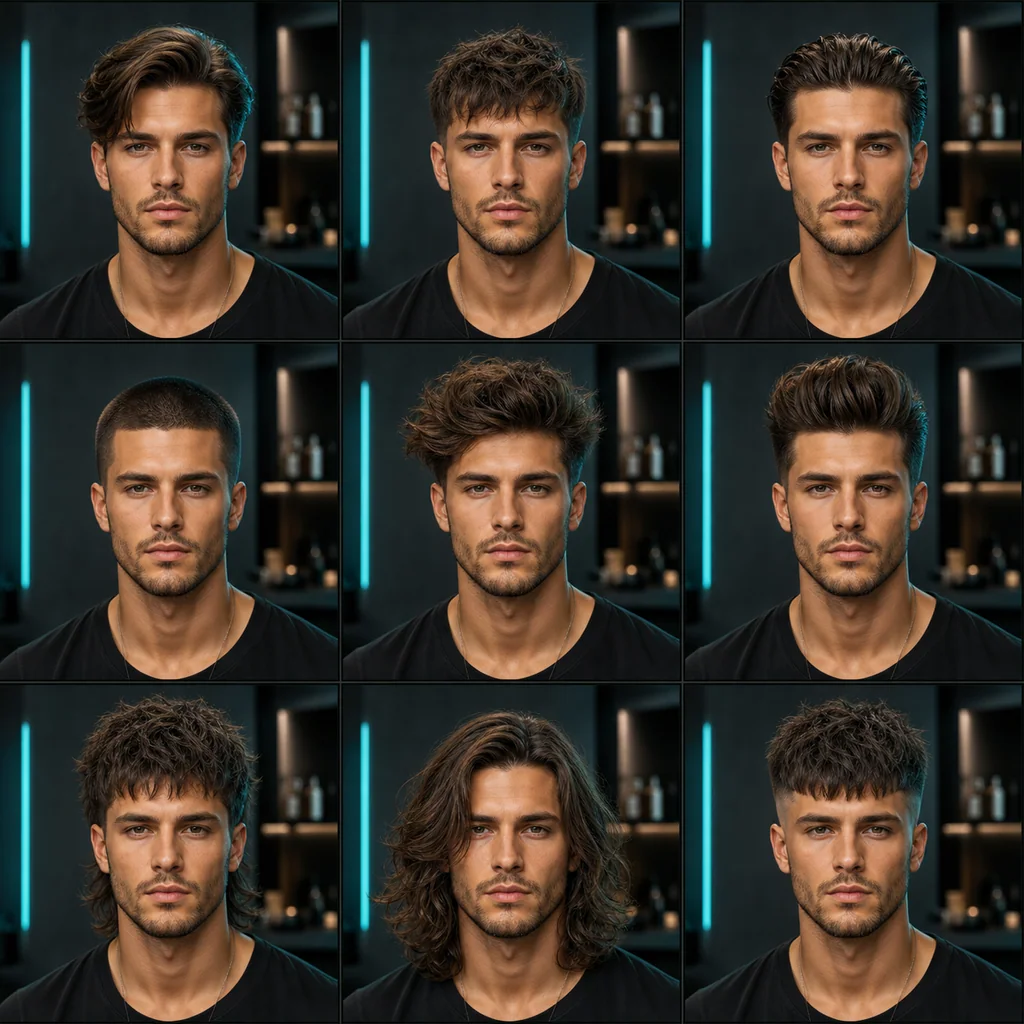
Stop guessing which cut suits you. Our 9-grid prompt generates nine different hairstyles side by side in a single image, so you can compare a side part, crop, slick back, buzz cut, quiff, pompadour, mullet, long waves, and fade all at once before booking the salon.
Photorealistic Lighting Match
The model reads your original photo's lighting, shadows, and head geometry, then renders the new hair to blend in naturally. No flat wig look, no pasted-on texture — just studio-quality, lifelike results that hold up under zoom.
No Salon, No Photoshop
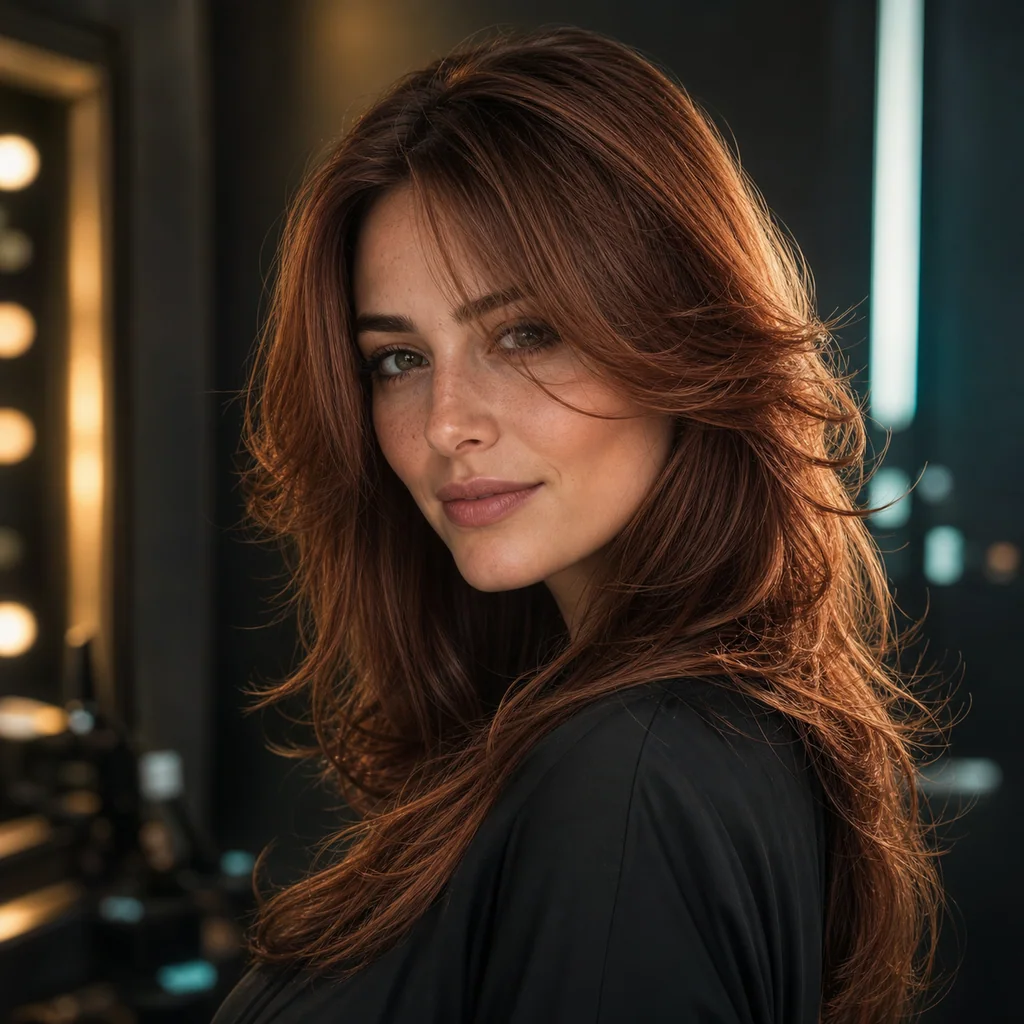
Preview a brand-new look in seconds, from your phone or laptop, with zero design skills. Copy a prompt, upload a selfie, and generate. Try as many styles and colors as you want — the only thing you'll spend is a few free credits.
What Is Gemini AI Hairstyle?
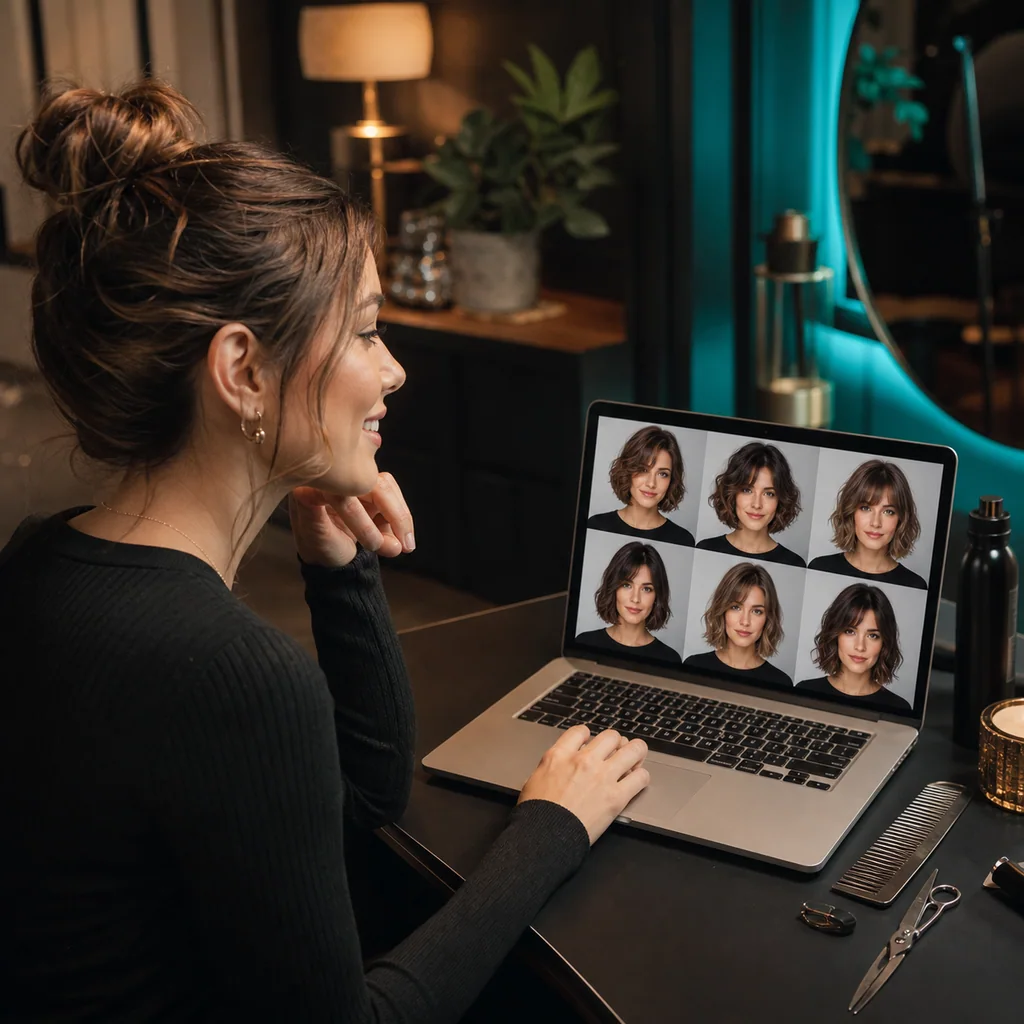
Gemini AI Hairstyle is the practice of using AI image generation — specifically Google's Gemini / Nano Banana family of models — to preview new haircuts on your own photo. Instead of guessing how a pixie cut, wolf cut, or buzz cut will look, you upload a selfie and let the AI render the result. The key is a well-written prompt that locks your identity in place and only changes the hair.
How It Works
Under the hood, Gemini AI Hairstyle runs an image-to-image pipeline: your uploaded photo is the source, and the text prompt tells the Nano Banana Pro model which region to redraw. Because the prompt explicitly instructs the model to preserve your face, skin tone, expression, pose, outfit, and background, only the hair is regenerated. The model also reads the original lighting and head geometry so the new style blends in naturally — no flat wig look, no pasted-on texture.
Gemini AI Hairstyle vs. Old-School Methods
Compared to Photoshop, there is no manual masking, layering, or brushwork — the AI handles the entire edit in seconds. Compared to in-salon trial cuts, there is zero risk of a style you regret: you see the result before a single strand is cut. Compared to wig-filter apps, the output is photorealistic and face-consistent, so the preview actually reflects how the cut would sit on your head.
When to Use It
Gemini AI Hairstyle is ideal before a salon visit (narrow down the cut you want), when considering a dramatic change (long to short, new color, bangs), for styling inspiration to share with your stylist or barber, or simply to explore looks for fun and social sharing. It works for both men's and women's styles, every hair texture, and any face shape.
Nano Banana Pro is the image-generation model in Google's Gemini family — it reasons about lighting, volume, and identity, which is why hairstyle previews stay face-consistent while the hair itself changes completely.
Gemini AI Hairstyle Prompts to Copy & Paste
Every prompt keeps your face, body, outfit, and background locked. Just copy one, paste it into the generator above, upload your photo, and hit generate.
Gemini Hairstyle Prompts for Women
Pixie Cut
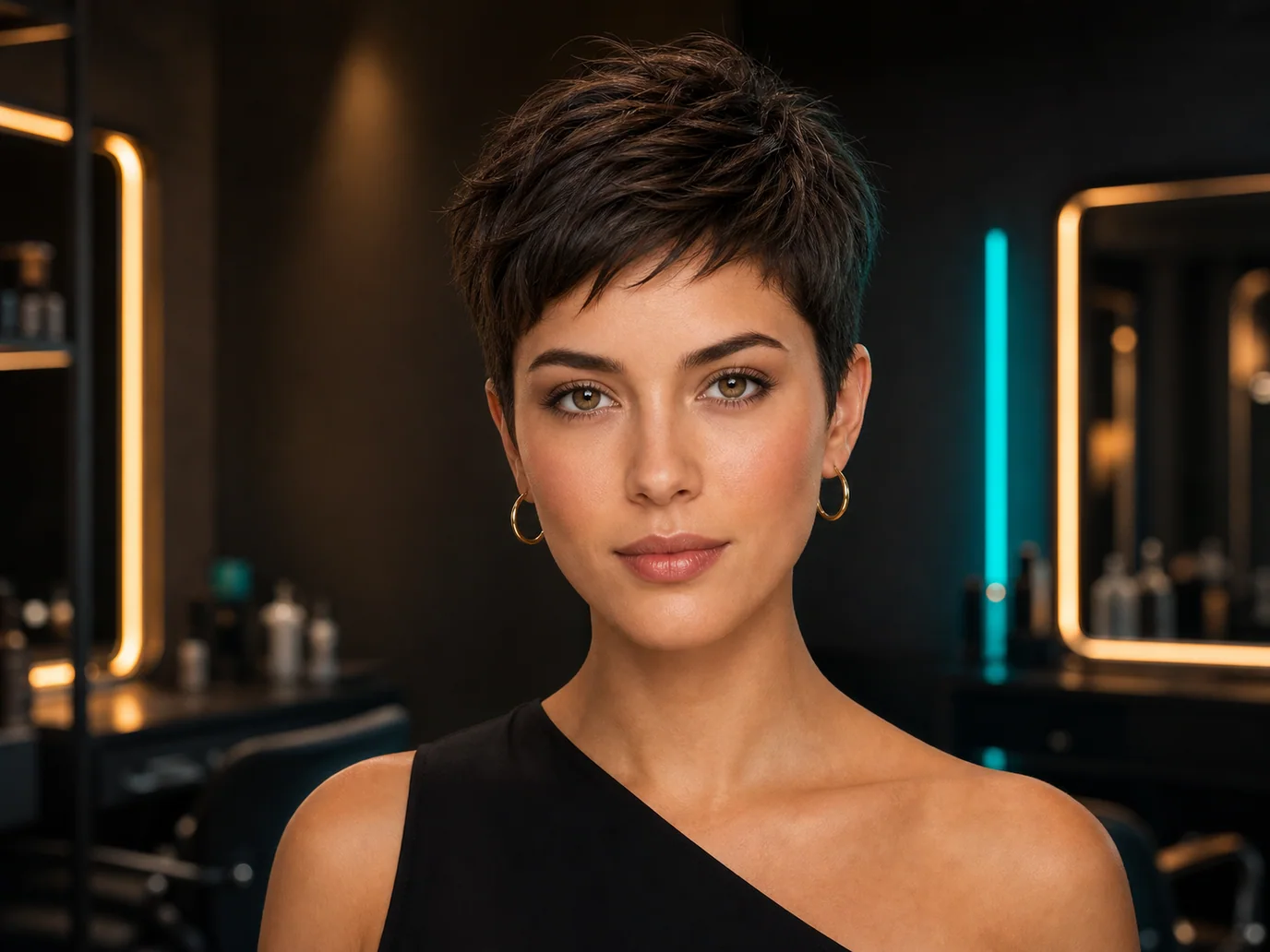
Keep the uploaded person's exact face, facial features, skin tone, expression, body, pose, outfit, and background unchanged. Only change the hairstyle to a sharp, stylish pixie cut with soft texture and natural volume. Photorealistic result, consistent with the original lighting.
Straight Bob
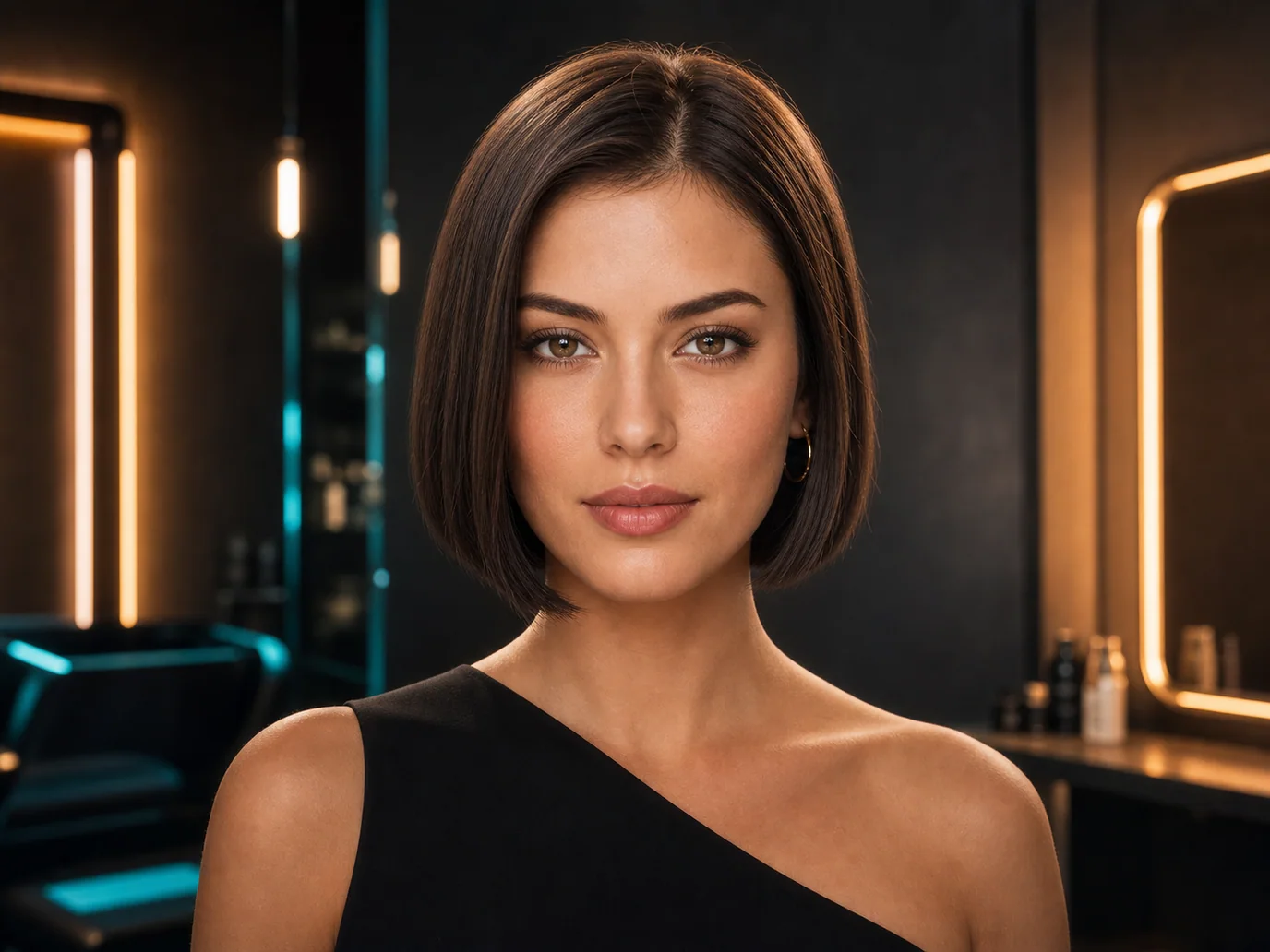
Keep the uploaded person's exact face, facial features, skin tone, expression, body, pose, outfit, and background unchanged. Only change the hairstyle to a sleek, straight bob ending at the jawline with a glossy finish. Photorealistic result, consistent with the original lighting.
Long Layered Waves
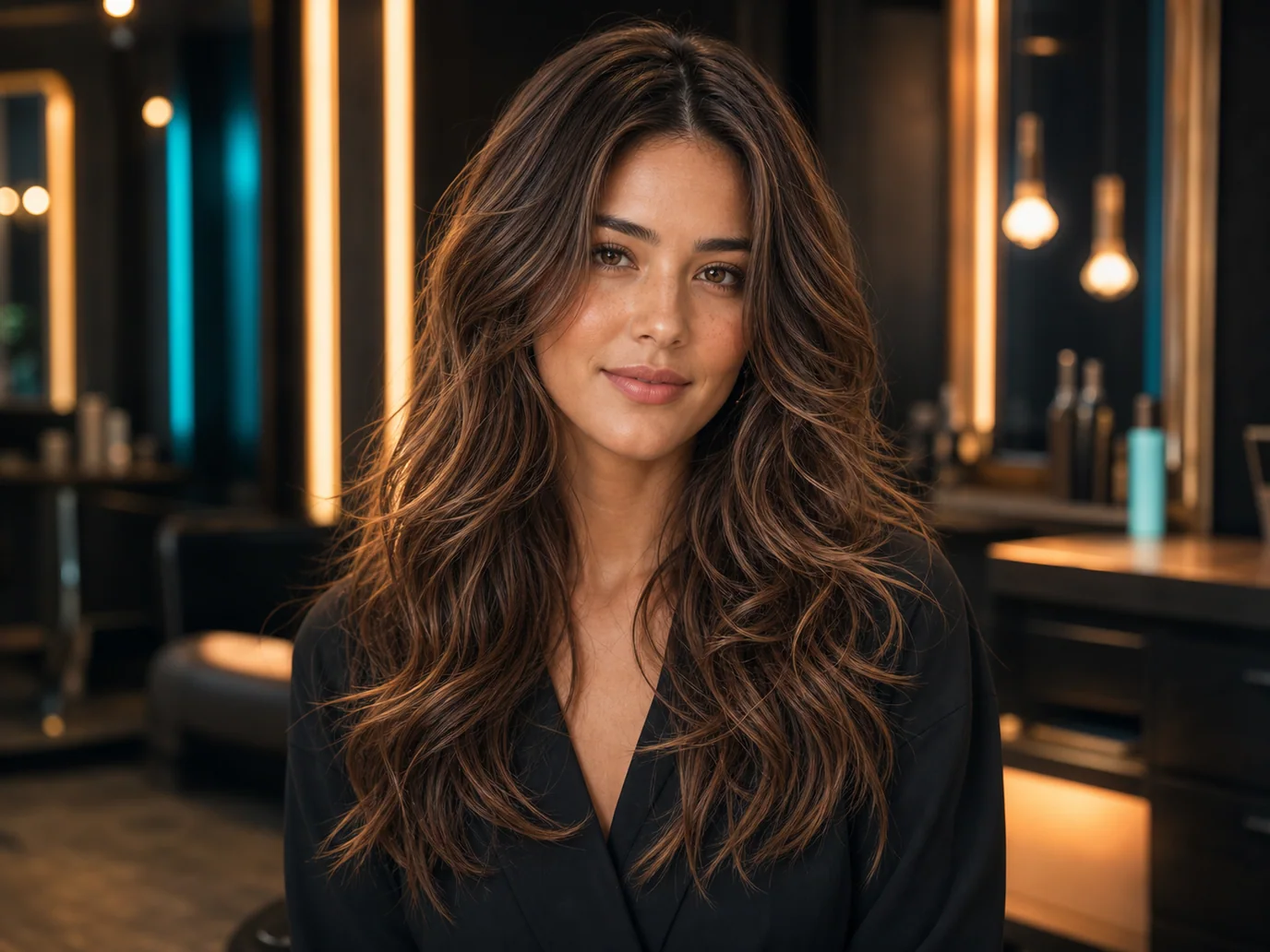
Keep the uploaded person's exact face, facial features, skin tone, expression, body, pose, outfit, and background unchanged. Only change the hairstyle to long layered beach waves with natural movement and soft volume. Photorealistic result, consistent with the original lighting.
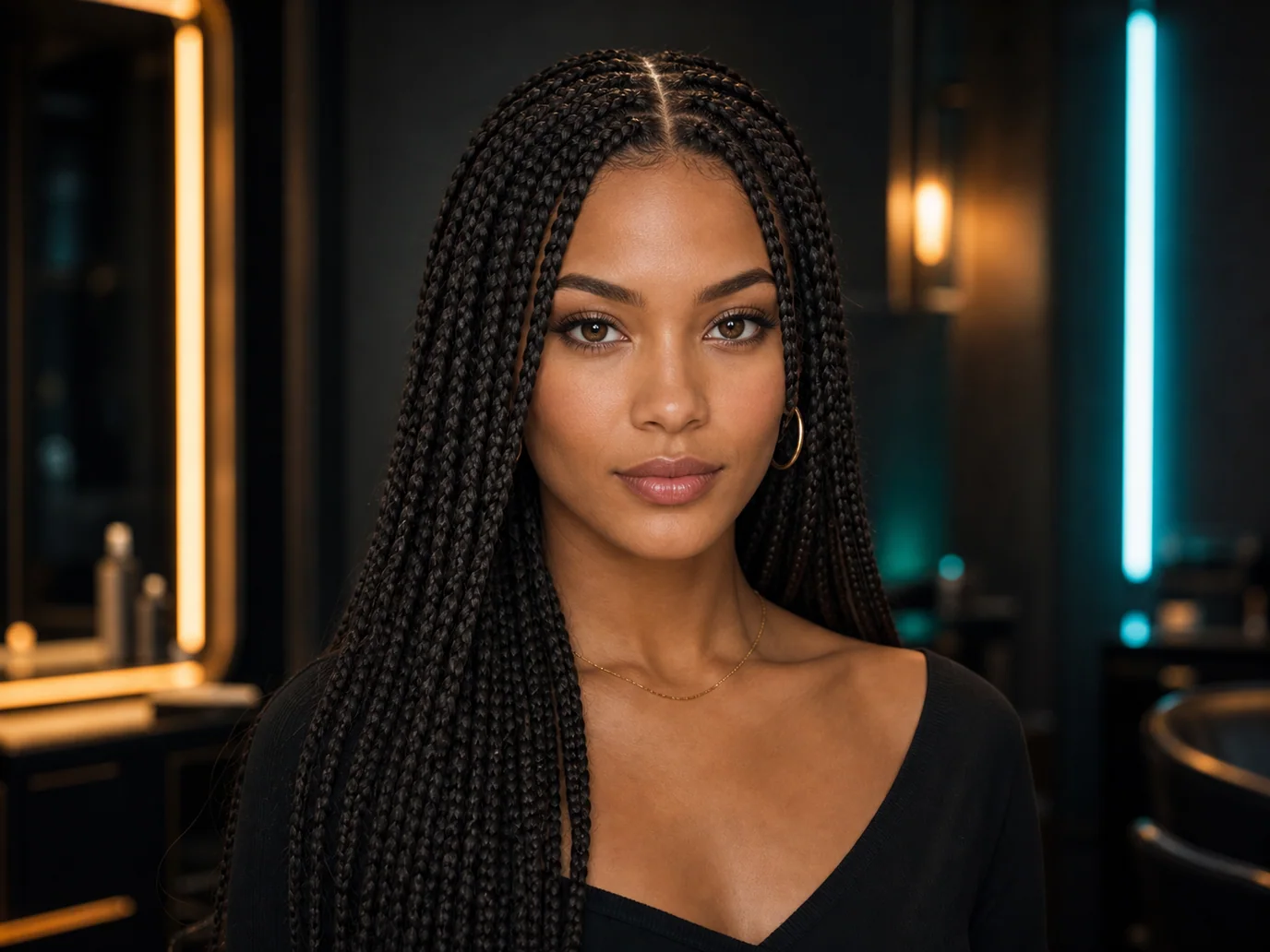
Box Braids
Keep the uploaded person's exact face, facial features, skin tone, expression, body, pose, outfit, and background unchanged. Only change the hairstyle to neat, long box braids with a natural finish. Photorealistic result, consistent with the original lighting.
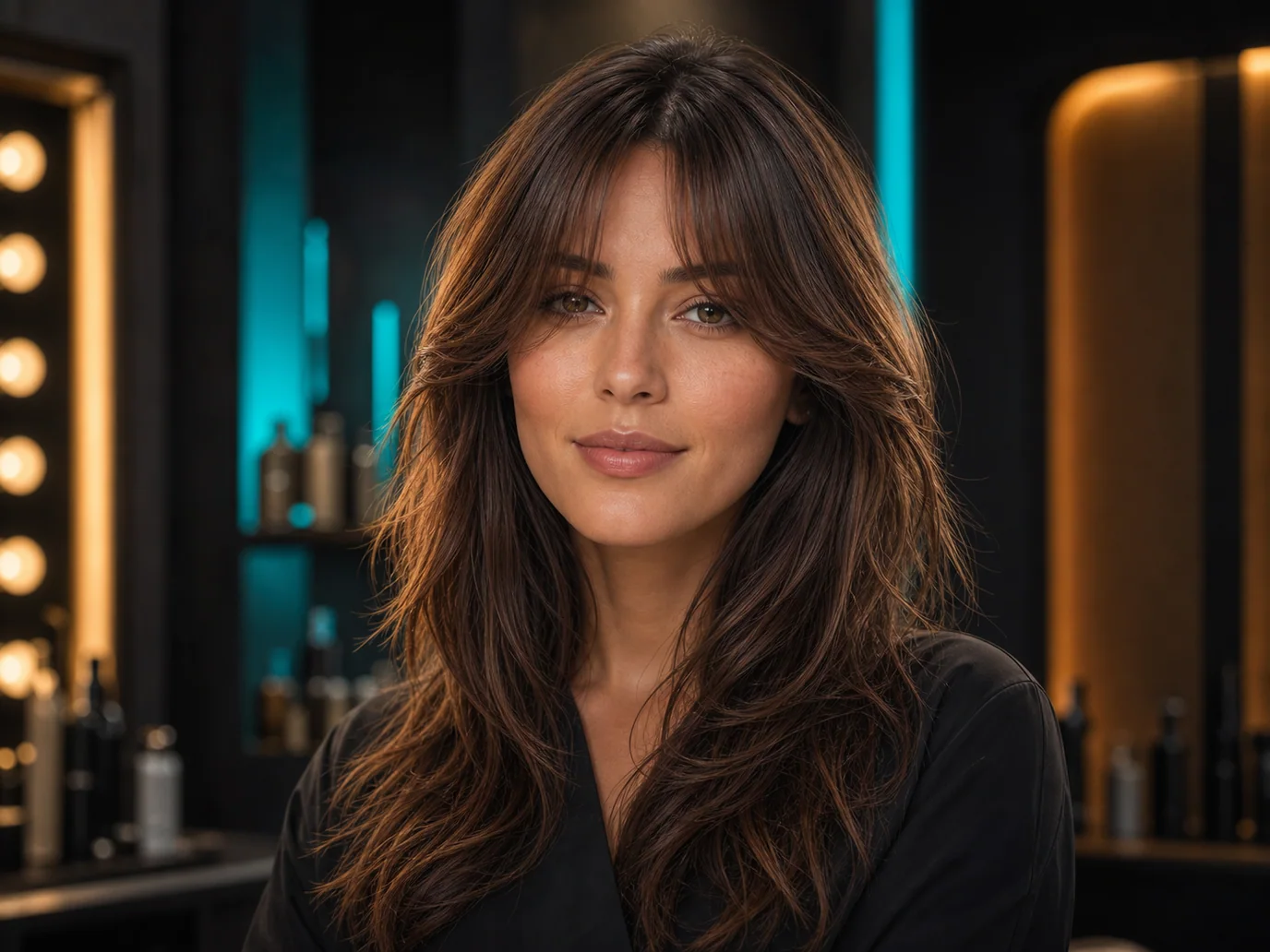
Curtain Bangs
Keep the uploaded person's exact face, facial features, skin tone, expression, body, pose, outfit, and background unchanged. Only change the hairstyle to soft curtain bangs framing the face with the rest of the hair flowing naturally. Photorealistic result, consistent with the original lighting.
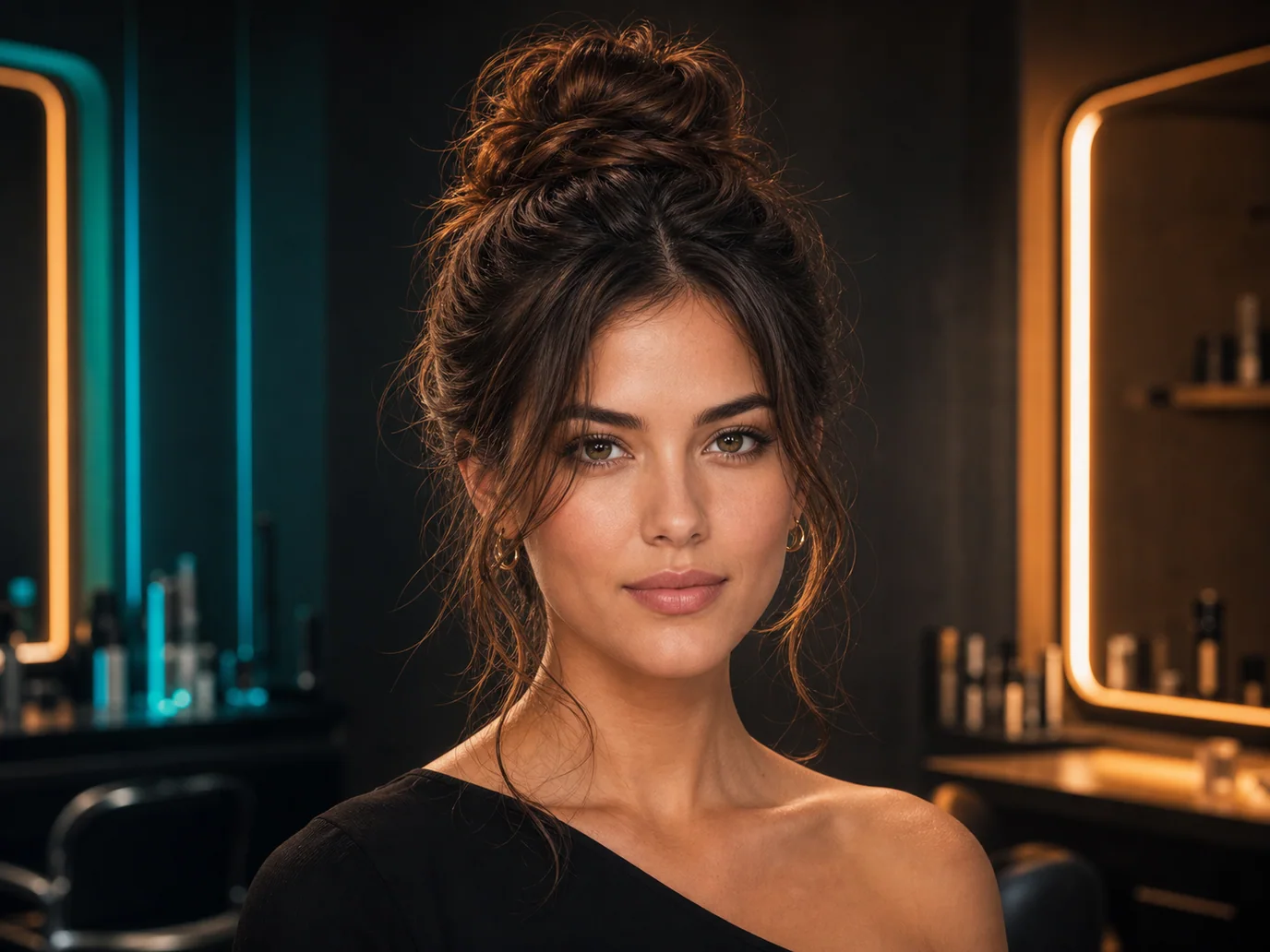
Messy Bun
Keep the uploaded person's exact face, facial features, skin tone, expression, body, pose, outfit, and background unchanged. Only change the hairstyle to a relaxed, textured messy bun with loose face-framing strands. Photorealistic result, consistent with the original lighting.
Gemini Hairstyle Prompts for Men
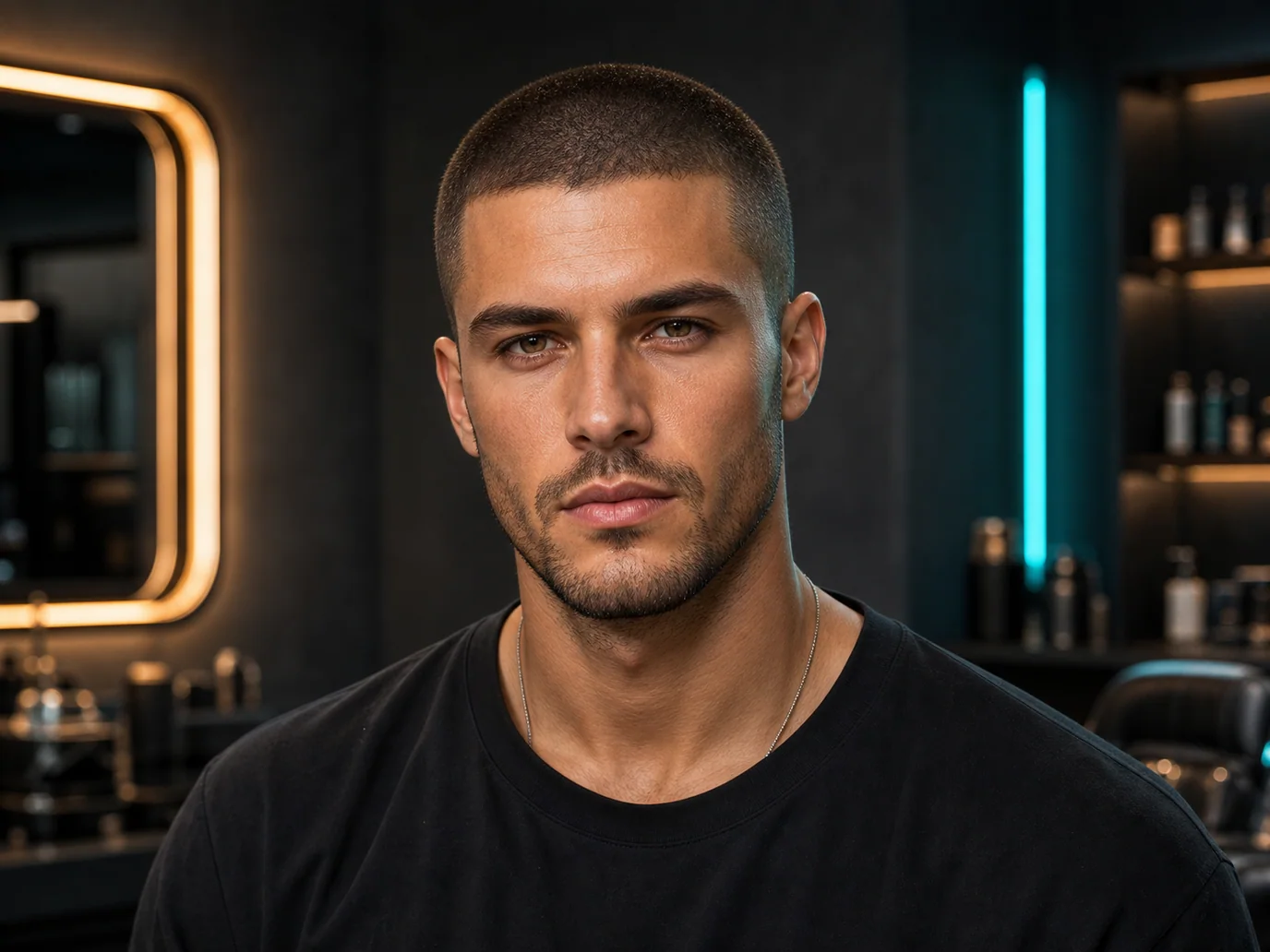
Buzz Cut
Keep the uploaded person's exact face, facial features, skin tone, facial hair, expression, body, pose, outfit, and background unchanged. Only change the hairstyle to a uniform, clean buzz cut. Photorealistic result, consistent with the original lighting.
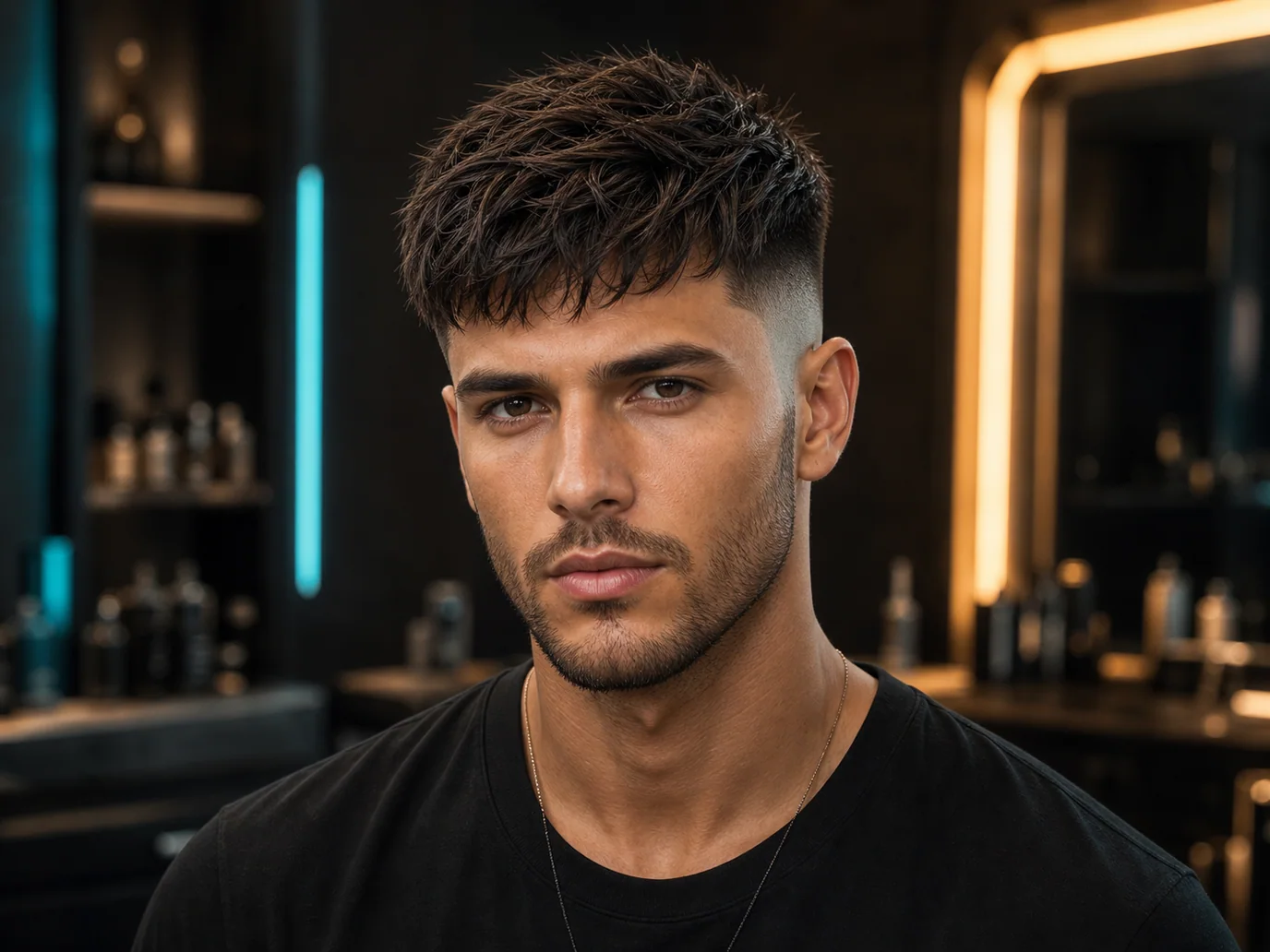
Textured Crop
Keep the uploaded person's exact face, facial features, skin tone, facial hair, expression, body, pose, outfit, and background unchanged. Only change the hairstyle to a modern textured crop with a skin fade on the sides and natural volume on top. Photorealistic result, consistent with the original lighting.
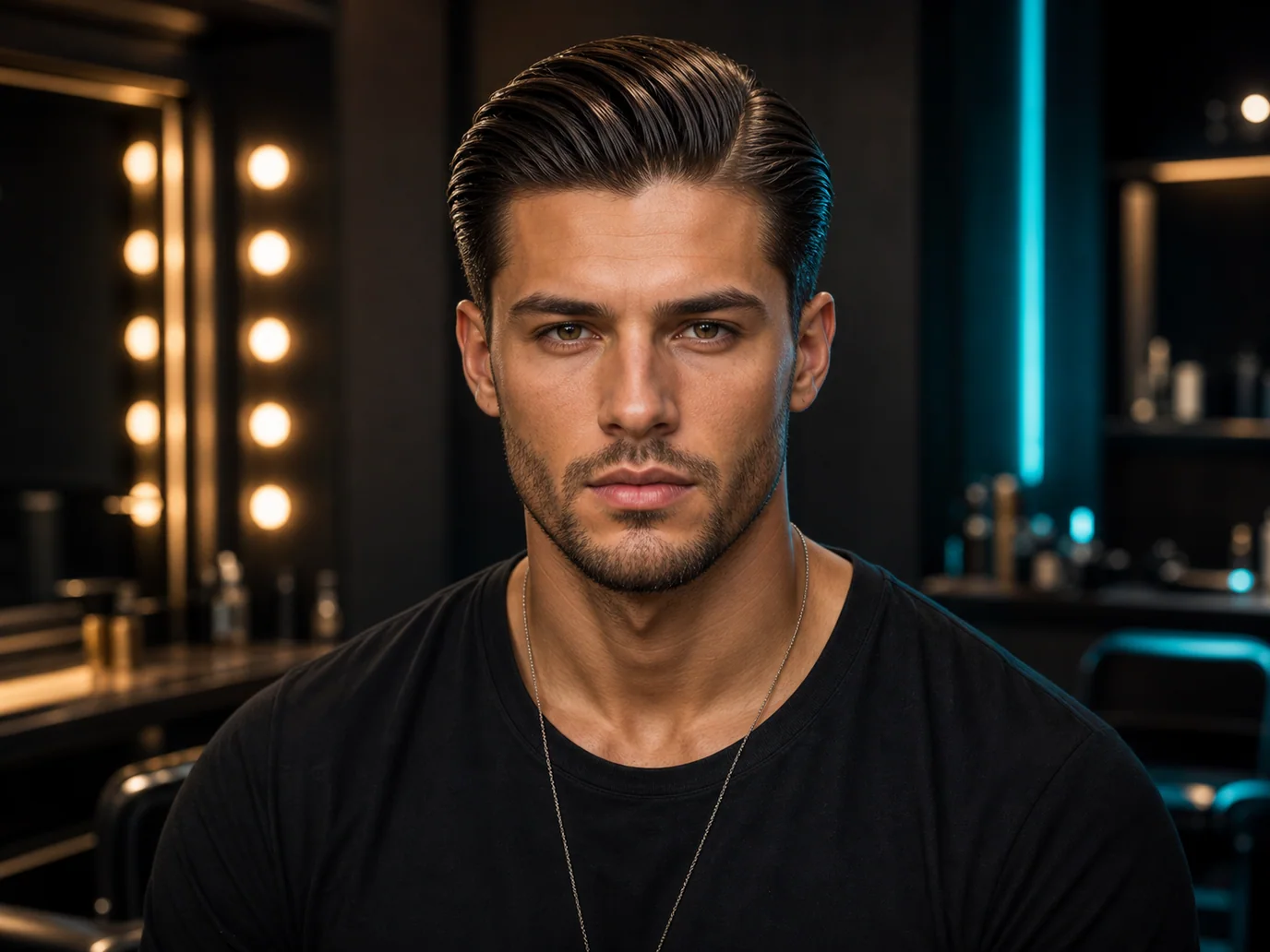
Slick Back
Keep the uploaded person's exact face, facial features, skin tone, facial hair, expression, body, pose, outfit, and background unchanged. Only change the hairstyle to a classic slicked-back style with a clean side part and a glossy finish. Photorealistic result, consistent with the original lighting.
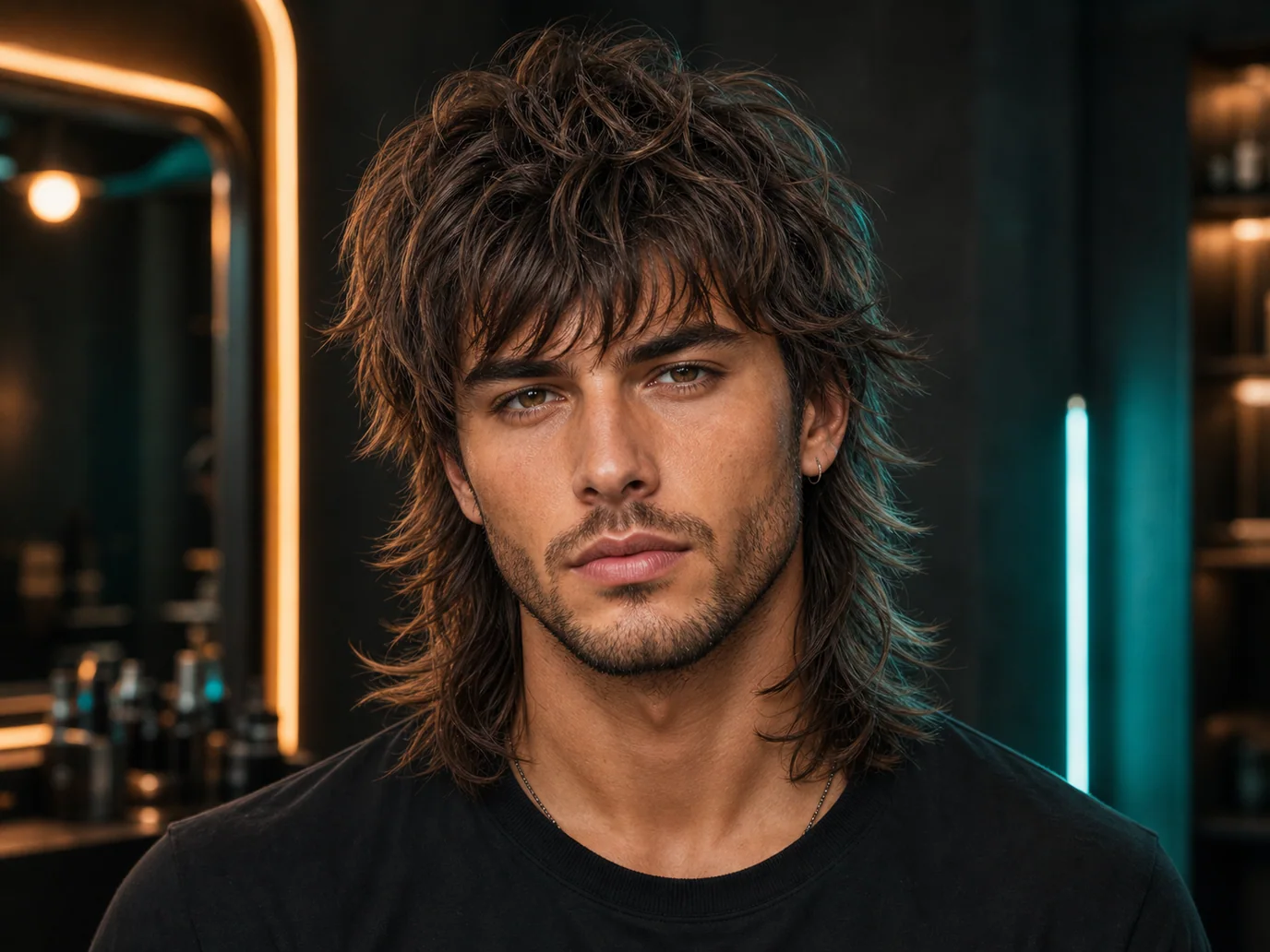
Wolf Cut
Keep the uploaded person's exact face, facial features, skin tone, facial hair, expression, body, pose, outfit, and background unchanged. Only change the hairstyle to a trendy wolf cut with choppy layers, textured fringe, and natural movement. Photorealistic result, consistent with the original lighting.
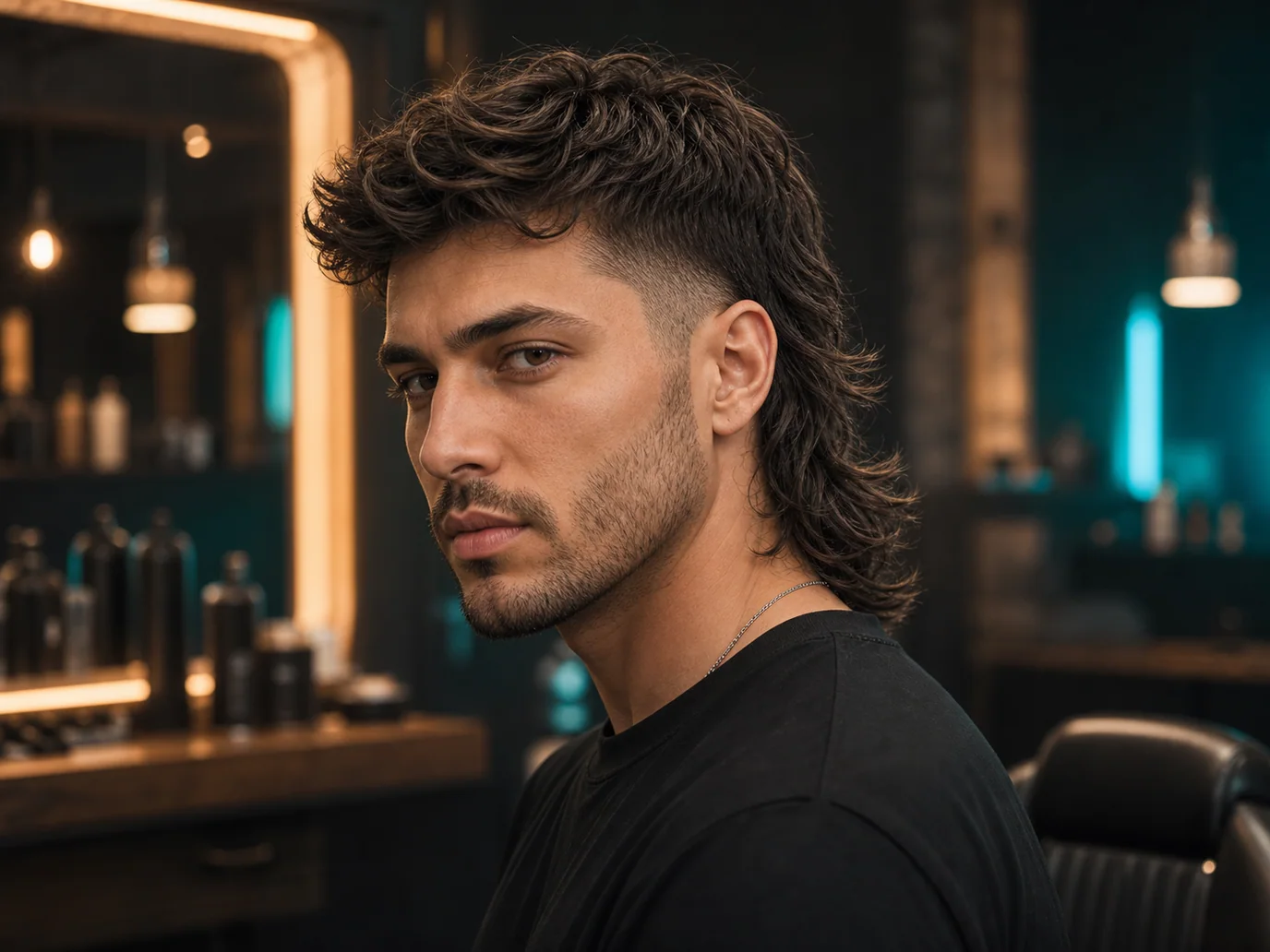
Modern Mullet
Keep the uploaded person's exact face, facial features, skin tone, facial hair, expression, body, pose, outfit, and background unchanged. Only change the hairstyle to a modern mullet with short sides, volume on top, and length at the back. Photorealistic result, consistent with the original lighting.
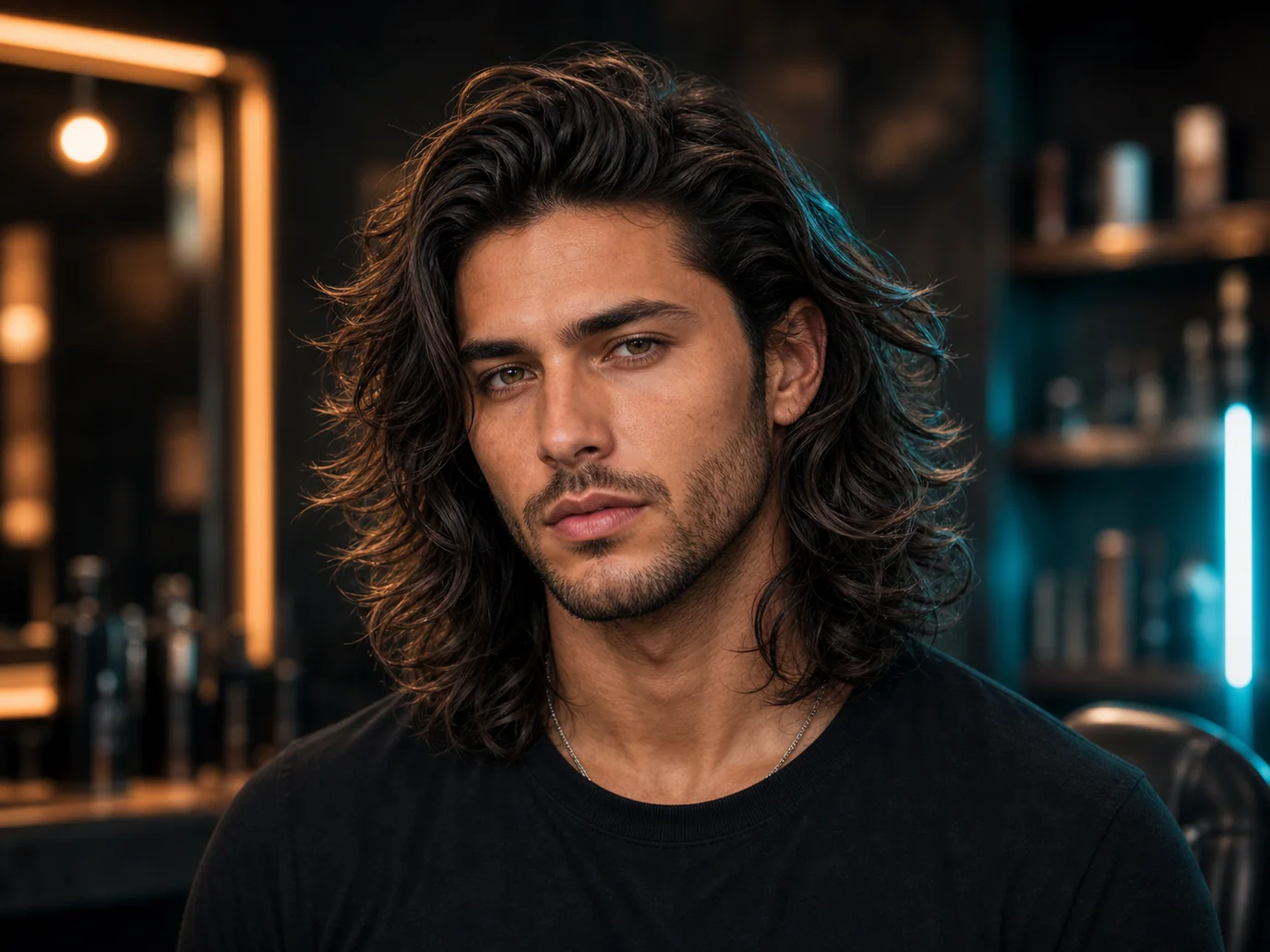
Long Wavy Hair
Keep the uploaded person's exact face, facial features, skin tone, facial hair, expression, body, pose, outfit, and background unchanged. Only change the hairstyle to medium-to-long layered wavy hair with natural flow, soft texture, and slightly messy movement. Masculine, stylish, and natural. Photorealistic result, consistent with the original lighting.
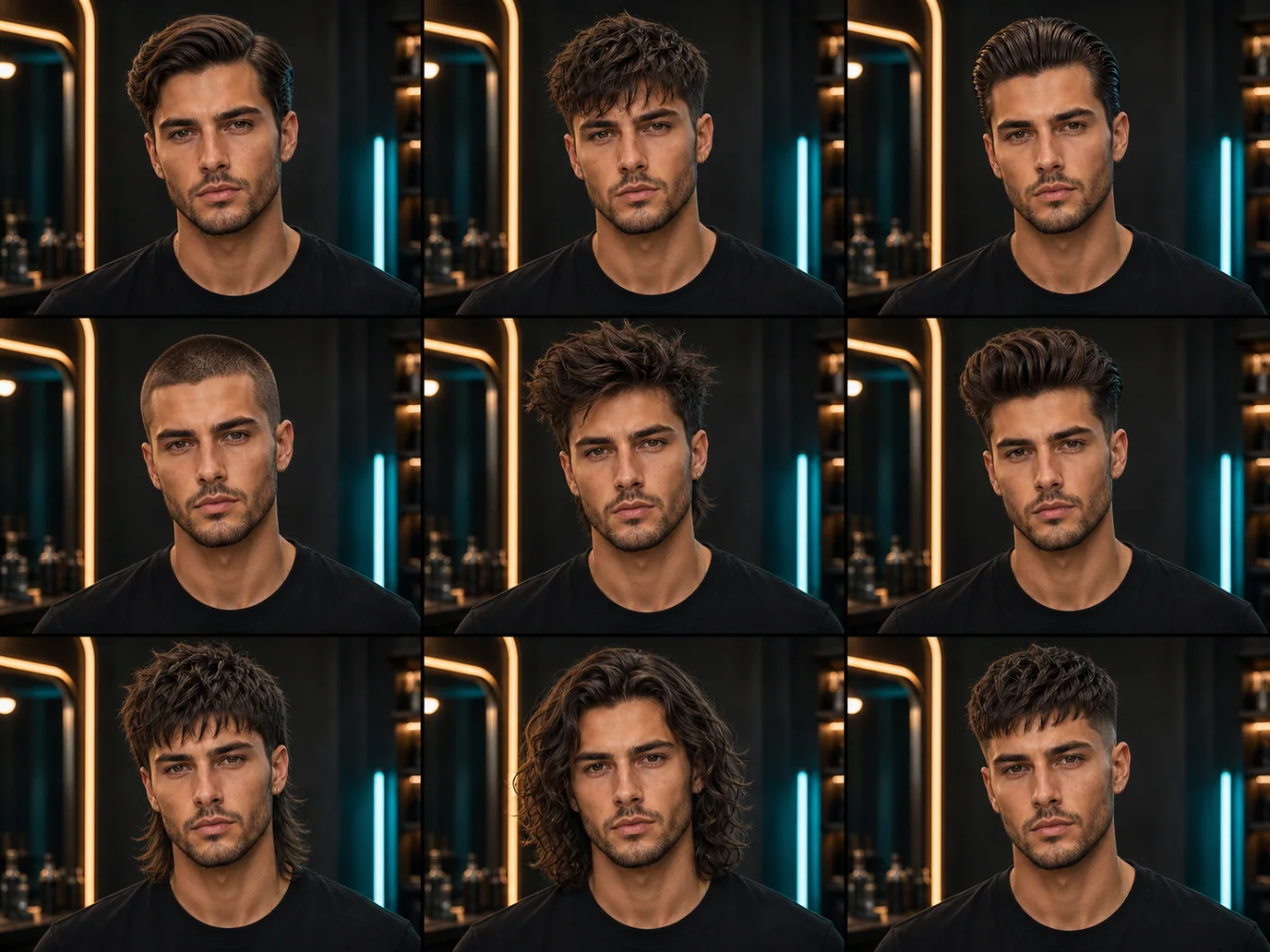
9-Grid Hairstyle Comparison Prompt
One prompt generates a 3×3 grid of nine different haircuts so you can compare side by side before committing.
Create a realistic 3x3 hairstyle comparison grid using the uploaded photo as the identity reference. Keep the person's face, skin tone, facial features, expression, outfit, and background consistent in every panel. Only change the hairstyle in each frame. Generate these 9 hairstyles: 1. Classic side part 2. Textured crop 3. Slicked back 4. Buzz cut 5. Messy quiff 6. Pompadour 7. Modern mullet 8. Long wavy hair 9. High fade with fringe. Make the hair look natural, realistic, and consistent with the original lighting and head shape.
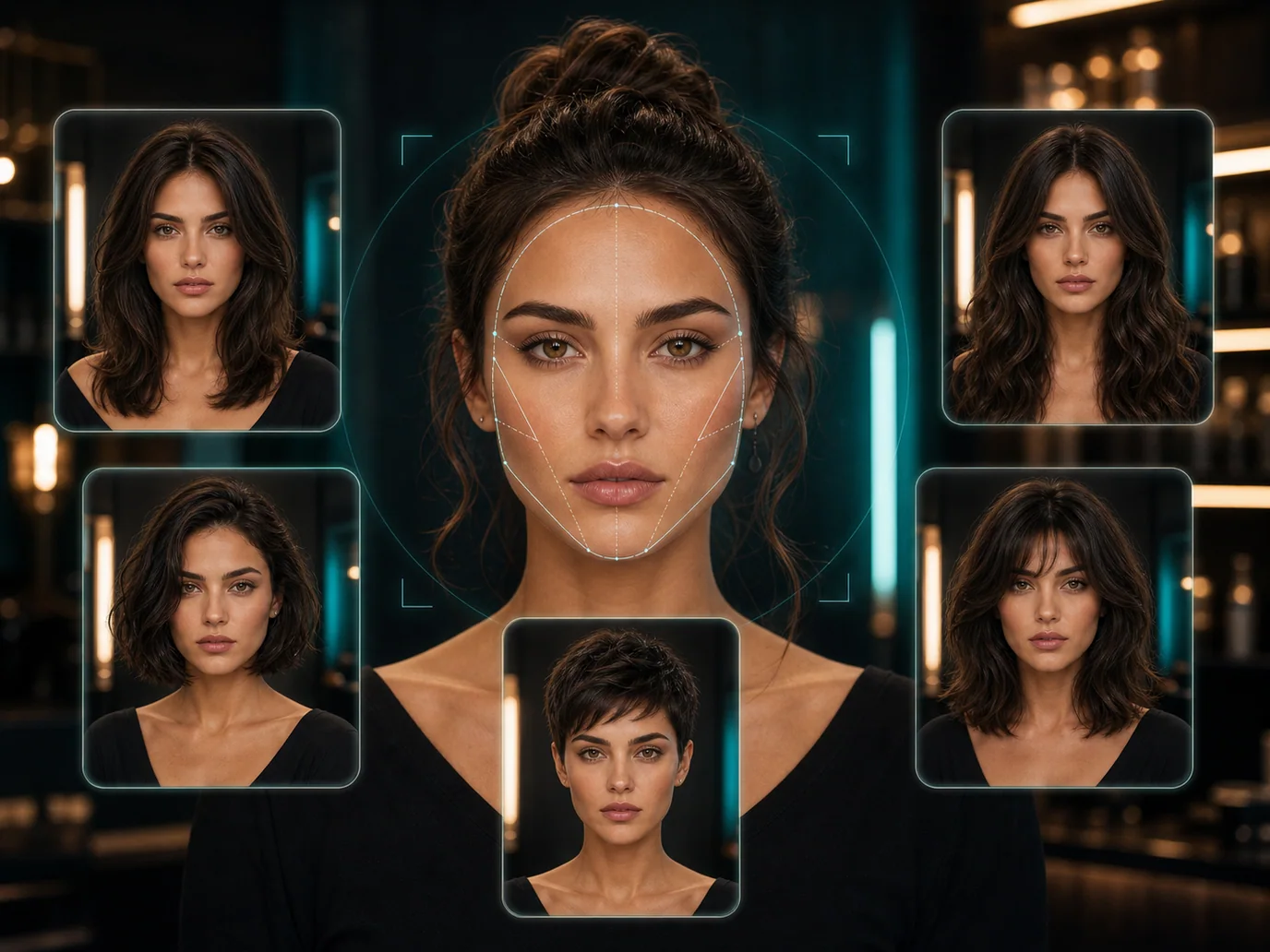
Face-Shape Hairstyle Recommendation Prompt
Let the AI analyze your face shape and recommend five hairstyles that suit you — with reasons for each.
Analyze the uploaded face photo and identify the person's face shape, forehead size, jawline, cheekbone structure, and hairline. Then recommend 5 hairstyles that would suit this person best. For each hairstyle, explain why it matches the face shape and what hair length is needed. After the analysis, generate realistic hairstyle preview images while keeping the person's face and identity unchanged.
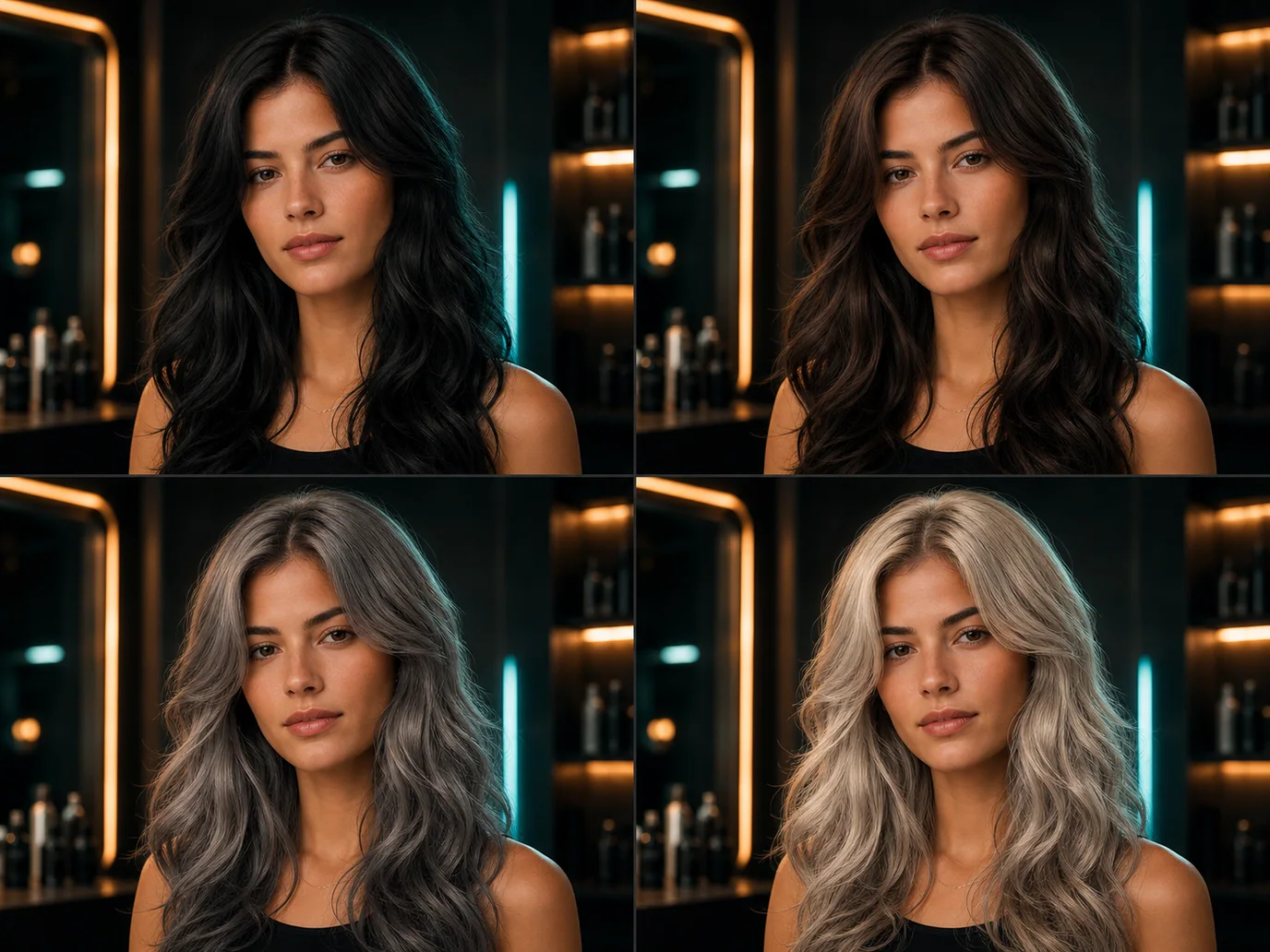
Hair Color Comparison Prompt
Compare four hair colors side by side in a single 2×2 grid.
Create a 2x2 hair color comparison grid using the uploaded photo. Keep the person's face, hairstyle shape, expression, outfit, pose, and background the same. Only change the hair color in each panel. Generate these 4 realistic hair color variations: 1. Natural black 2. Dark brown 3. Ash grey 4. Platinum blonde. Make each color look realistic, glossy, and consistent with the original lighting.
How to Use Gemini AI Hairstyle
Three steps from photo to a brand-new look.
1. Upload Your Photo
Use the generator at the top of this page to upload a clear, well-lit portrait. A front-facing photo with your hair visible gives the most realistic hairstyle swaps.
2. Copy a Prompt
Browse the prompt library below, find a hairstyle you like, and hit Copy. Paste it into the prompt box — every prompt is written to lock your face and only change the hair.
3. Generate & Compare
Hit generate and the Nano Banana Pro model renders your new look in seconds. Download the result, try more styles, and find the haircut you'll actually ask your stylist for.
Gemini AI Hairstyle vs Salon Trial-and-Error
Stop guessing. See the result before you commit to a cut.
| Feature | Gemini AI Hairstyle | Salon Trial |
|---|---|---|
| Time to preview | Seconds | Hours to weeks |
| Cost | Free credits to start | $30–$200+ per visit |
| Risk of a bad cut | Zero | High |
| Styles to compare | Unlimited | One at a time |
| Keeps your face | Yes — face-consistent | N/A |
Tips for the Best Gemini Hairstyle Result
Small choices in your source photo make a big difference in the output.
Use Good Lighting
Soft, even lighting on your face lets the model read your features clearly and place the new hair naturally.
Face the Camera
A front-facing portrait with your current hair pulled back gives the cleanest base for a hairstyle swap.
Keep the Prompt's Constraints
The 'keep face, body, outfit, background' clauses are what make the result look like you. Don't trim them when editing a prompt.
Generate Multiple Variations
Run the same prompt a few times — Nano Banana Pro produces slightly different realistic results each time, so you can pick the best.
Last updated: July 2026
Explore More AI Tools
Discover related AI tools and models
Nano Banana Pro
Affordable photorealistic generation powered by Google Gemini.
Image to Image Generator
Transform existing images with AI-powered style transfer and editing.
Text to Image Generator
Generate stunning images from text descriptions with top AI models.
GPT-4o Image
OpenAI's multimodal image model with photorealistic output.
Frequently Asked Questions
Ready to Create?
Join millions of creators. Start generating stunning AI content today.
Get Started Free